


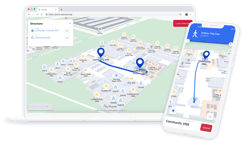



Pointr's October Demo Day Recap
October’s Demo Day introduced Agentic AI Search, smarter editing in Pointr Cloud and improvements to accessibility, onboarding and geofencing.
Here’s a quick look at the six updates and what they mean for visitors, map editors and developers.
Watch the full demo and access the slides
What’s new this October?
- Agentic AI Search
- Smarter Pointr Cloud editing
- Improved landscape layouts
- Localized accessibility
- More graceful onboarding
- Simpler geofencing configuration
Find places with Agentic AI Search
Visitors know what they need, but they may not know the name of a destination. Agentic AI Search lets them search the map in their own words.
A request such as “I’m hungry” can return food options, while a follow-up about vegetarian choices helps narrow the results. Search also handles typos and synonyms, groups relevant destinations and supports queries in multiple languages.
During the demo, German, Irish and Japanese queries returned results from English venue content. Destination information stayed in English, while conversation mode also demonstrated translated category labels.
For dietary searches, the demo also showed an AI-assisted results notice asking visitors to double-check options with the menu or venue.
The conversational assistant also demonstrated how it remembers preferences across follow-up questions and considers opening hours, proximity and Featured POIs.
Agentic AI Search is available across Pointr’s iOS, Android and Web SDKs, and through Pointr’s APIs. It is the first feature produced through Pointr’s AI Factory, where AI builds with human guidance and review.
Update multiple map features at once
New editing tools in Pointr Cloud reduce the clicks needed to maintain indoor maps.
Multi-feature editing lets editors select several features and update supported shared properties together. In the live demo, Chris applied a gender designation to 14 restroom POIs in one update, rather than editing each individually.
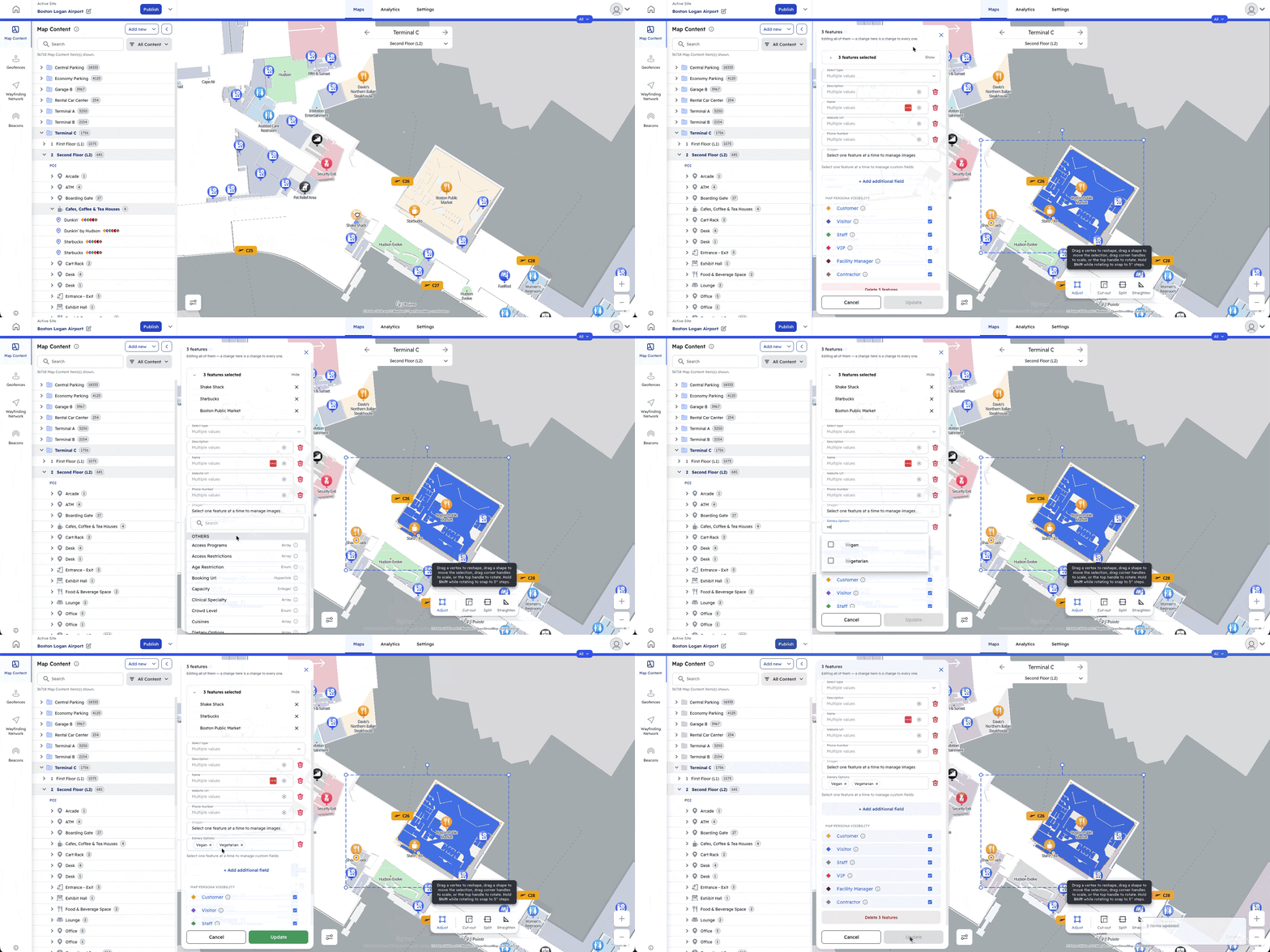
Other improvements include:
- Single-click editing: Select a feature and start editing immediately.
- Dedicated metadata panel: View and edit feature information beside the map.
- Advanced snaps: Align shapes with nearby geometry and inferred alignment points.
- Transform controls: Move, resize and rotate map content.
- Keyboard copy and paste: Use Ctrl+C and Ctrl+V to reuse features across floors or buildings, including their metadata.
These updates make routine map maintenance faster and help teams keep POI information consistent.
Use indoor maps more comfortably in landscape
Pointr already supported landscape orientation. This update improves how search, categories, POI details, and wayfinding adapt to wider screens.
That helps visitors using a tablet fixed at a hospital information desk or a device mounted on a wheelchair, where rotating the screen may be impractical.
The improvements support the orientation requirement in WCAG 2.1. Blue Dot positioning and heading accuracy remain consistent with portrait mode.
Make wayfinding more accessible across languages
Screen reader support now covers interface text in all 18 supported UI languages, including buttons, menus, and wayfinding cards.
TalkBack and VoiceOver also announce short on-screen messages, such as a floor change, helping visitors hear updates they might otherwise miss.
On Android, wayfinding automatically switches to Accessible mode when a screen reader is active.
Together, these changes make indoor navigation easier to follow with spoken information in the visitor’s preferred supported language.
Ask for permissions at more useful moments
The updated onboarding flow reduces pop-ups and only shows the system location permission dialog when a visitor agrees to proceed. Visitors who are not ready to share their location can decline.
If location becomes useful later, the SDK can explain how granting access would improve the experience. Visitors can still say no, while a visible red “No Location” indicator shows that location access is off.
For integrations using geofencing with geofence notifications enabled, the notification permission prompt waits until the next time the SDK runs, reducing the number of prompts shown upfront.
Configure geofencing with fewer settings
Geofencing configuration now centres on two main settings: whether geofencing is enabled and whether positioning is enabled. Related options, such as geofence notifications, sit beneath them, making setup easier for developers.
The SDK also recognises when a visitor reopens the app without leaving a zone, helping avoid another arrival notification for the same visit.
Coming next
Our team is also working on:
- Multi-point Wayfinding: Plan a route through several stops.
- Wayfinding Analytics: Understand route progress and completed journeys.
- Multi-Client Support: Manage multiple clients in one Pointr Cloud setup.
- Guided tutorials and an AI assistant: Get help while working in Pointr Cloud.
These features are in development, with release dates still to be confirmed.
Watch October Demo Day to see the updates in action. For questions about your project, contact product@pointr.tech.
Eva is Pointr's Product Marketing Manager, meaning she's uniquely positioned to discuss the complex technology that powers Pointr's market-leading products in a way that dispels many of the myths around indoor mapping and location. She's also an expert in the indoor location market at large, making her an authority on the benefits and drawbacks of different and sometimes competing approaches to solving the challenges of accurate indoor positioning.