



.svg)
.svg)



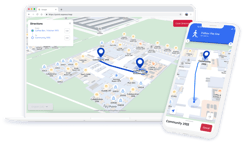



How to Implement Maps & Indoor Navigation in Epic MyChart
Jump to:
Epic MyChart is the world’s leading electronic health record platform, and plays a crucial role in helping millions of users to stay on top of their medications, test results, upcoming appointments, and more
However, one thing that MyChart can’t solve is one of the most common patient complaints; “I can’t find my appointment.” That was, until now. Pointr is the world’s leading indoor mapping and navigation company and has specialized in the healthcare industry for years, and we’re now delighted to be offering our solutions via direct integration into MyChart.
.png?width=2349&height=1137&name=Epic%20spotlight%20(2).png)
Wayfinding within MyChart - a perfect match
Indoor wayfinding or navigation services are one of the most in-demand features of healthcare facilities and hospitals today. Maps and navigation have the ability to unlock a vast array of different use cases, from reducing missed appointments, to alleviating stress for patients navigating a complex layout for the first time, to reducing the burden on staff to help visitors find their way.
All of this makes maps and wayfinding a natural fit for Epic MyChart, which acts as the digital front door for healthcare for millions of users. Maps and wayfinding unlock the ability for patients to pre-plan their visit as they review their appointments.
However, adding wayfinding functionality to your hospital’s MyChart app (whether it’s an out of the box MyChart app, or a self-submitted app that runs on Epic architecture) is a multistep process. Achieving an accurate, reliable indoor navigation system that serves your users while scaling to the needs of your healthcare network is easier said than done.
Furthermore, there is currently no native wayfinding or mapping functionality within MyChart; this is why the Toolbox ecosystem, where Pointr is listed, exists. In this guide, we’ll detail how maps and wayfinding work within MyChart, what the two integration paths are, and what implementation actually involves.
Step-by-step integration guide
1. Determine which type of MyChart infrastructure you’re working with
MyChart-based apps come in two core varieties; out of the box, or classic MyChart; and self-submitted apps that utilize MyChart data.
Which version of the above that your hospital’s or healthcare system’s app falls into is important, as it has a critical bearing upon what implementation paths are open to you. More on this later.
2. Map creation & digitization
Precise indoor wayfinding is worth nothing if it’s not layered on top of a high quality, accurate, and interactive map of your healthcare facility.
At Pointr, we combine speed with accuracy thanks to our one-of-a-kind AI mapping engine, MapScale®. Not only does this enable us to create maps, but does so from a variety of floorplan file types, with minimal human intervention, in minutes. This process can then be repeated as and when required to keep maps up to date.
3. Sync your new maps with your MyChart data
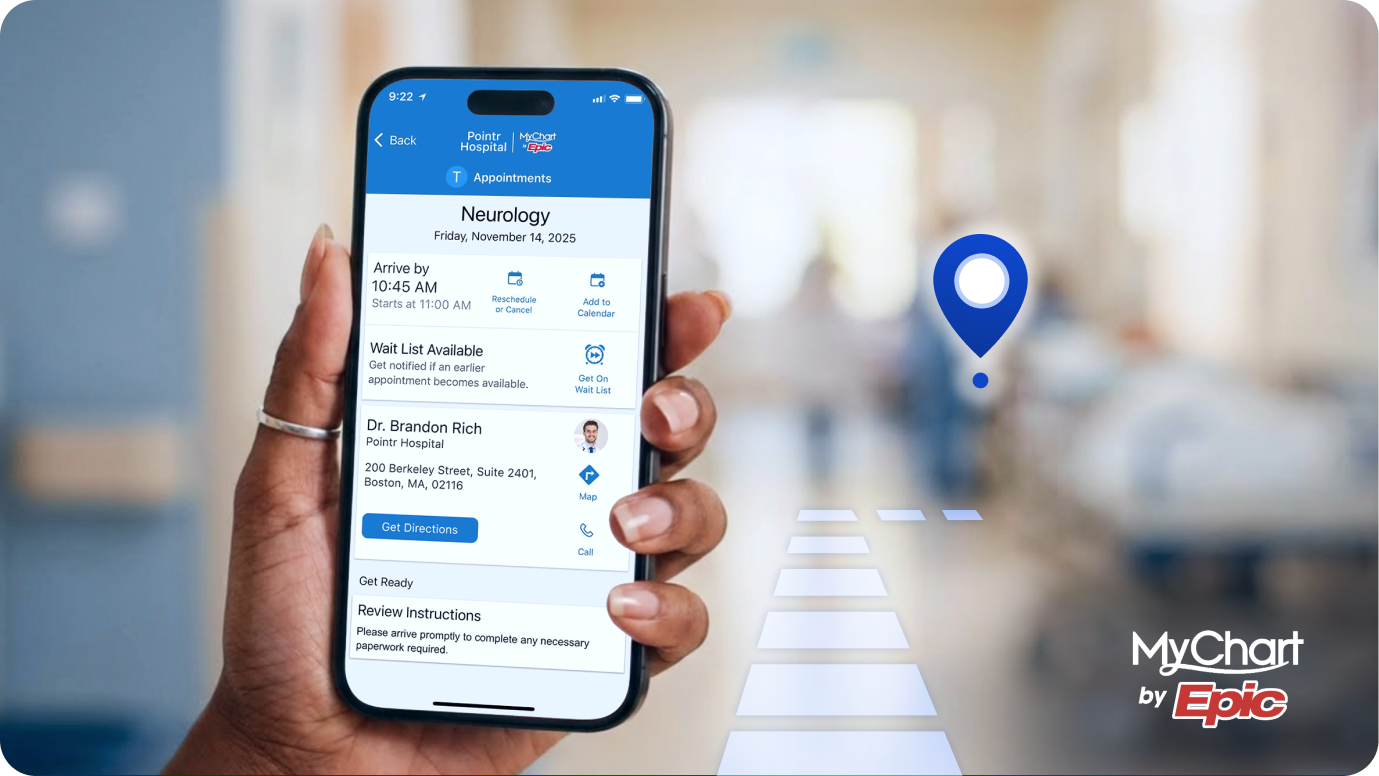
The next step is to ensure that your map and MyChart data aren’t siloed from one another. Connecting your two sources of data enables deep, intuitive integrations between your wayfinding solution and MyChart, such as letting users select “Get Directions” when looking at their next appointment and instantly being taken to the map with a pre-programmed destination.
Our expert team will correlate the digitized map assets with your Epic instance, ensuring complete synergy between the two. Our Pointr Cloud CMS enables you to make future connections between your map data and MyChart instantaneously with a single field update. Alternatively, by sharing your Epic KIT Credentials, we can arrange for your MyChart data to sync automatically to your Pointr Maps.
4. Choose your integration path
Depending on whether your app is an out of the box MyChart instance or a self-submitted, own-brand app that utilizes MyChart data in the background, you’ll need to choose from the following two integration paths:
Out of the box MyChart
The main MyChart app is a web-based solution. This means that, when it comes to integrations, it’s not possible to load an additional SDK into the app as you would on most apps. Instead, it relies upon leveraging a web-based mapping and indoor positioning system. With this in place, users can launch maps and wayfinding directly from within MyChart, such as by selecting ‘Get Directions’ from their appointment screen.
Pointr Express® - the only way to deliver a native app-style wayfinding experience from within classic MyChart apps
In addition to the above, web-based method of integrating with out of the box MyChart, Pointr Express® is the only solution on the market capable of linking a standard MyChart instance with a native app-style mapping and wayfinding system. Express® is built on Apple’s App Clip technology, meaning that from MyChart, users can select to see a map or be directed to their next appointment and have Pointr Express® deliver a no-download solution that offers the best of a classic in-app experience.
Furthermore, Express® can also be used without a route through MyChart, meaning that hospital visitors who don’t have MyChart themselves can still benefit from your maps and wayfinding system.
Self-submitted app based on MyChart data
If the app is ‘owned’ by the healthcare network or hospital and leverages Epic’s architecture in the background, then another implementation path is available. Because self-branded apps will most likely be non-web based like out of the box MyChart, it means that implementations via mobile SDKs (like Pointr’s for iOS and Android) are possible.
An SDK-based integration means the optimum experience, with a UX designed to respond and adapt seamlessly and the necessary permissions and access to smartphone systems to ensure highly accurate indoor positioning.
5. Indoor positioning assessment and configuration
Indoor positioning systems layer on top of maps to provide the ‘blue dot’ that shows a user’s live location, and enables them to be given precise directions to wherever they need to go inside a facility, access features like marking their location (such as saving where they’ve parked to navigate back later), or be re-routed automatically if they leave their navigation path.
These tools can’t simply rely on signals like GPS due to their lack of accuracy and inability to penetrate through ceilings and other materials. The majority of indoor positioning systems require some sort of hardware in order to deliver accurate positioning. In some cases, a hospital may already have the requisite infrastructure, such as BLE-enabled WiFi access points. In others, a hardware installation may be required.
If, after assessment, it’s determined that hardware will be required to achieve an accurate indoor blue dot, then an installation timeline will be established and executed.
At Pointr, we specialize in high quality installs that deliver robust, durable indoor positioning results with minimal disruption. Our hardware team has vast experience delivering swift, complex installations under extreme time constraints, such as trade shows, meaning we’re able to make any required changes to your hospital’s wireless infrastructure without any knock-on effects on the overall connectivity of the building. We typically use low-impact, adhesive or magnetic beacons that are powered by a long-life battery, meaning no drilling, power supply, or rewiring is required.
6. Configure your MyChart app for wayfinding
Finally, with everything else in place, you can go through the steps to configure your MyChart app so that it’s fully integrated with your wayfinding solution.
Pointr has a dedicated documentation center which covers every step you need to achieve a full integration between MyChart and your new maps and wayfinding, and our expert PM team are ready to guide you through every step. In brief, these steps are:
-
Open an Epic Sherlock ticket with Pointr’s CYER reference
-
Create a PACS type integration record for SMART on FHIR
-
Configure MyChart to launch maps and wayfinding (either via Express® or web application)
-
Configure Pointr to launch from MyChart Visit details
Do you want to know the ideal questions to ask when looking for a healthcare mapping and wayfinding vendor?

.png?width=2880&height=1620&name=epic%20integration%20(2).png)
Why choose Pointr for your healthcare navigation project?
As you may have already gathered from the implementation guide above, Pointr is the leading choice when it comes to adding maps and wayfinding to your hospital’s MyChart app. Here’s a quick rundown of exactly what sets us apart from the other options:
-
Exclusive native app experience - Pointr Express® is the only way to launch a native app-style mapping and wayfinding experience from within MyChart, enhancing the user experience while retaining full integration with MyChart.
-
Map creation and updates at scale - MapScale® can create maps from the most basic of floorplan files, and do so in a matter of minutes. Whether you need maps for a single hospital or an entire healthcare network’s worth of locations covered, MapScale®’s AI-powered engine is up to the task. The same goes for any required updates post-map creation.
-
Healthcare expertise - Pointr work with many of the leading healthcare networks and hospitals, including Mayo Clinic, UC Health, University Hospitals, UNM Health, Sarasota Memorial, Centra Care, and more. We understand the healthcare sector, and how indoor location services can make a dramatic impact on patients, visitors, and staff.
-
Flexible and platform agnostic - As well as integrating into MyChart, we pride ourselves on being totally platform agnostic. Once we’ve completed the mapping process, the maps are available anywhere you’d like them, not just MyChart, such as kiosks, standalone instances of Pointr Express®, and more.
-
The only app-free solution - Pointr Express® enables you to give users without access to MyChart - such as hospital visitors - access to the very same maps and wayfinding. Give your visitors enhanced ability to pre-plan their visit.
-
Accessibility first - Hospitals have to account for a vast range of people coming through their doors every day. Pointr’s solutions are designed with this in mind, including being WCAG 2.2 Levels A and AA compliant, offering wheelchair-accessible routes, voice guided directions, and a wide selection of languages.
-
Accurate blue dot - Pointr’s indoor positioning blue dot delivers 1-3m accuracy across your entire healthcare facility, and once configured offers reliable, durable performance; no need for costly and time-consuming reconfigurations every few months when performance drops as with other vendors.
MyChart Maps & Navigation FAQs
We’ve dealt with many of the US’s largest healthcare providers, and have fielded many questions regarding our mapping and wayfinding solution, and how it works in conjunction with MyChart. Here are some common questions we’ve been asked and their answers:
-
What accessibility tools do Pointr offer? Pointr is WCAG 2.2 Levels A and AA compliant. Pointr's wayfinding algorithm offers wheelchair-accessible routing and voice-guided directions. Features include optimized routes for wheelchair accessibility and navigation instructions for users with mobility limitations, ensuring equitable access through adapted interfaces and audio guidance. Watch a video demo of our accessibility toggle and voice-guided directions
-
Does Pointr collect patient health data or PHI? By design, Pointr does not receive any PII or PHI as part of any mobile, web, or app-free experience. We consult our customers on how to create their desired experience by mapping appointment data to appointment locations, but will never receive sensitive patient or scheduling data.
-
Do we need to replace our current hardware signal infrastructure? We pride ourselves on being as hardware agnostic as possible at Pointr. This means that if there is existing signal infrastructure in place in a hospital, and particularly if that infrastructure features Bluetooth signals, we endeavour to make use of what’s available straight away as much as possible. In some scenarios, we may need to deploy our expert hardware team to augment the existing infrastructure in order to ensure the best possible coverage and an accurate, reliable blue dot performance throughout.
-
What is the process for updating maps, either temporarily or permanently, once they’re in MyChart? Pointr's CMS facilitates synchronization of map updates, enabling management of digital maps, including monitoring and editing details, icons, points of interest, and venue changes. It employs a centralized repository with version control for accurate, up-to-date maps. Watch a walkthrough demo of Pointr's CMS.
-
Does Pointr offer multilingual support? Pointr supports multilingual capabilities for content in multiple languages including Arabic, Chinese (Simplified and Traditional), English (US and UK), French, German, Greek, Hindi, Portuguese, Spanish, Russian, and Turkish. We can also add language by request.
-
Can Pointr’s solutions be launched directly from within MyChart? Yes, our Epic-integrated solution enables navigation experiences from the patient-facing portal, including MyChart, facilitating real-time directions to appointments within the facility. We do this by associating your Facility Structure location IDs (e.g. DEPID) with Pointr map content, thereby enabling you to launch a 'StartWayfindingtoPOI(Department-check-in-id)' without needing to look up a Pointr value to do so.
-
Do you allow for multiple brands within a single Epic MyChart instance? Pointr can implement several different versions of a branded map within the same MyChart via personas.
-
Can the maps and wayfinding cover an entire healthcare campus, such as parking lots and outdoor spaces between buildings? Pointr excels at creating a highly accurate blue dot experience across any type of campus environment. We have numerous mobile location patents around creating smooth indoor-outdoor transitions where the blue dot does not lag or jump - it simply relies on GPS or BLE as it becomes available and smartly switches at the perfect moment. From taking users from their car in an underground parking garage, to a skybridge where they are highly exposed to GPS, through courtyards and then back to an indoor setting to check-in for an appointment, we have seen and implemented a solution for many complex, multi-building environments.
-
Can the navigation directions be shared with external parties (such as visitors to a patient) from within MyChart? Yes, directions can be generated and shared with appropriate parties as needed.
-
Can the location system be used across multiple surfaces, or is it restricted to just MyChart? Pointr’s mapping and wayfinding systems are designed to be as agnostic and flexible as possible. As well as deploying into MyChart, whether via our web SDK or Express® (or both), we also offer the ability to leverage the same SDKs elsewhere, such as in digital kiosks located at the hospital entrances. This ensures greater visibility for the mapping system, and means that hospital visitors without access to MyChart can still benefit from the system.
-
Can routes be marked as staff-only or restricted to certain user types? Yes, staff-only routes can be configured for internal users. Our solution supports map personas which includes setting different wayfinding routes via Pointr's CMS so that only certain groups are directed to sensitive areas.
-
How can a user who does not have MyChart use the mapping and wayfinding solutions? Users without MyChart can access our platform via Pointr Express®, utilizing QR codes, NFC tap, or SMS/iMessage links. This allows navigation without a MyChart account.
Ready to take your MyChart to the next level with maps and wayfinding?

Matt works in Pointr's marketing team, with a long track record of producing content for a variety of publications, including The Next Web. He also works closely with our sales team, meaning that much of the content he produces for the Pointr blog is designed to tackle and answer common questions we receive when working with companies who are in the early stages of investigating how and why indoor mapping and location solutions will benefit them and their customers.